
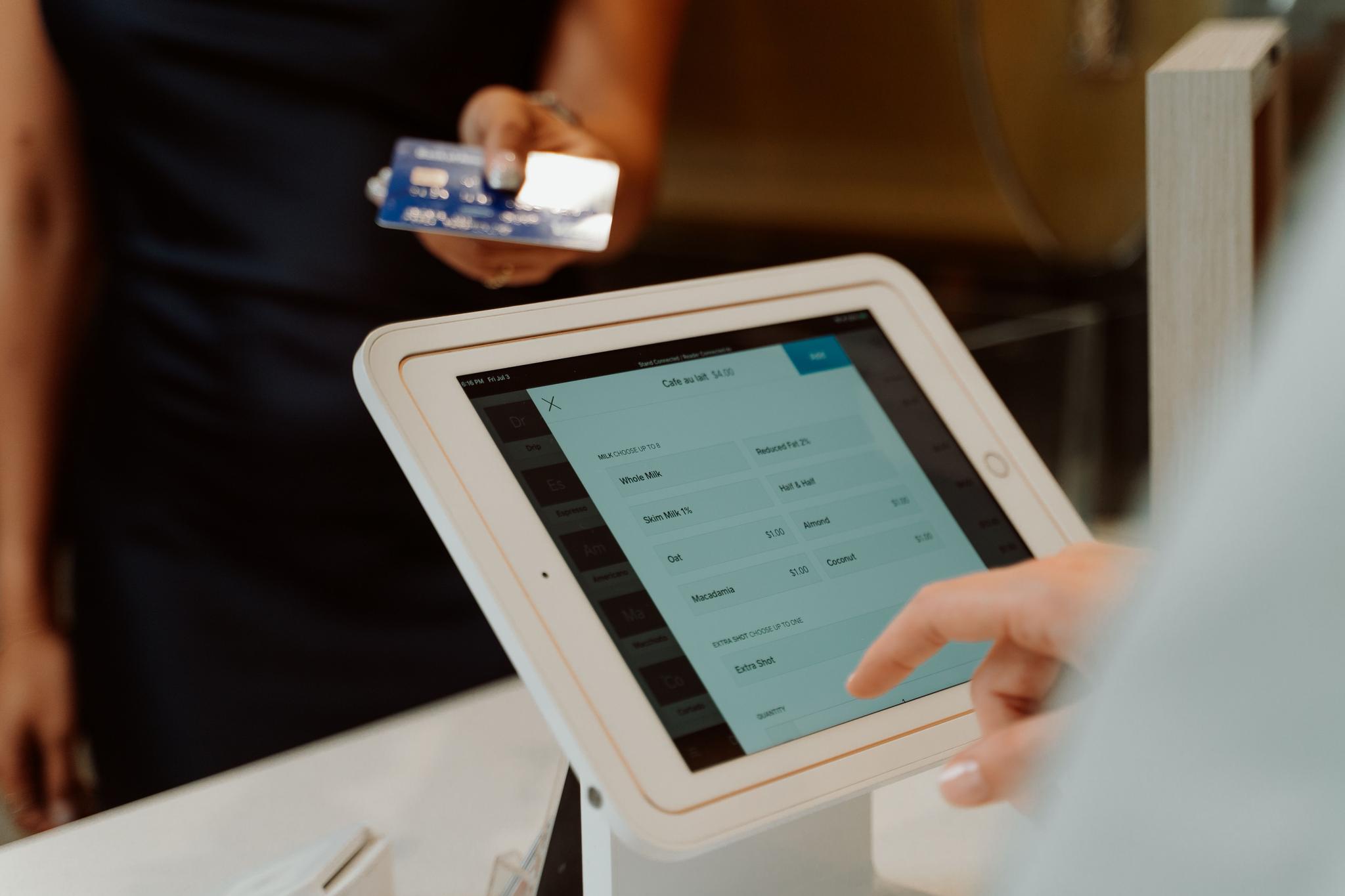
Clover vs Square POS
Our Pick: Objectively speaking, our pick would be Clover. This is because Clover's entire packages and services offered are more robust than Square's. One of the unique things that stand Clover out is the fact that it has built-in features that help you manage your business. It also allows you to extend the software's capabilities with a range of other apps for free.
Clover is more flexible since it allows you to use other payment processors. This makes it so that you may be able to reduce the charges on credit card transactions, therefore keeping more of your profit. However, whichever product is right for you will depend on your business needs at the end of the day. Since Square is cheaper and more basic, small businesses will likely find it more beneficial than Clover.
Clover and Square POS Systems in a Nutshell
Clover and Square are two popular point-of-sale systems that help business owners manage their activities better. From ringing up sales to inventory management and payment processing, these systems offer a range of business management features that everyday business owners will find very useful.
A POS system is beneficial to business owners who have physical stores and a customer-facing display. It is also handy when you have many employees handling lots of transactions.
That said, both systems are a bit different from each other in terms of what they offer, and due to their popularity, you may have a tough time deciding which to choose from. This article dissects what each point-of-sale system has to offer, from software features to hardware costs and payment processing.
About Clover
Clover is the largest US cloud point-of-sale system. It is extremely popular owing to the many features it makes accessible to business owners. Clover allows business owners to do basic things like receive credit card and mobile wallet payments. It also has features that help you track your sales and customer management tools and manage your team of workers.
Software
Furthermore, Clover is an all-in-one system for your business. Its developers have included practically all the necessary software you might need for running your business. However, they also understand that every business is unique. Therefore, their service is such that you can customize it to get the most out of it.
Using a range of free and paid apps from the Clover app market, you can add third-party software and accessories to your system to get the best out of it and tailor it perfectly to your needs.
Hardware
If you are not sure what applications and software are relevant to you, you can reach out to the Clover sales team for advice. Clover also offers a variety of hardware options so that you can choose the ones you need for your business. Clover hardware options include clover go, clover mini, clover flex, and clover station.
These hardware advance in complexity and portability. From a small card reader that allows small businesses to accept payments anywhere to a full POS system setup with advanced features like accepting tips from customers and offering loyalty programs. You can almost be certain that you will find the right hardware for your business with Clover.
Payment Processing
In terms of payment processing, Clover requires you to set up a merchant account with Fiserv, its own merchant service provider, or with a supported third-party provider. This merchant account processes the payment before passing it down to the business owner. As a result of this, one may be able to love their payment processing fees by using cheaper merchant account providers with Clover.
About Square
Square POS system can be described as a simple all-in-one system that provides business solutions for medium and small businesses. It combines basic inventory management, and merchant services with mobile payment processing. It allows contactless payments and managing of online orders making it useful to not just brick-and-mortar businesses but also online stores.
Software
Similar to Clover, Square has a suite of tools that one can use to enhance the functionality of its software. However, these tools come with additional monthly costs. Square POS is free to install, but it charges a percentage of your transaction.
Furthermore, Square POS already comes in three software variations depending on your type of business. They include Square Point of Sale, Square Appointments, Square for Restaurants, and Square for Retail.
Each of these variations is customized to fit the business type they cater to. Furthermore, you can contact Square sales if you are not sure which is best for your business. Additional fees apply for add-on features like employee management and gift cards.
Hardware
In terms of hardware, Square has several offerings. You get a free first card reader that is iPad compatible. However, for $49, you can get a contactless and chip Square reader. With Square terminal, you can process payments and receipts seamlessly. It is an all-in-one portable setup that can work with and without a power source.
Higher up on the scale is the Square register, which combines the POS system and payment processing in one system. There are also two Square stand hardware options, which are more portable and cheaper versions of the square terminal.
Payment Processing
Finally, in terms of payment processing, Square requires users to process payments with its system and with fixed charges. Square's charges are calculated as percentages of the amount processed.
Similarities between Clover and Square
Payment Methods
Both Square and Clover can be used to accept virtually all payment methods. You can use them for keyed-in transactions, card-on-file payments, gift cards, invoices, Cash App, Apple Pay, Google Pay, and so on. They work for in-person, contactless, and online payments. You can also use the systems to record cash and cheque payments.
Therefore, if you are running your business with either Square or Clover POS systems, you will be able to offer all sorts of payment options to your customers. However, different payment methods attract different processing fees, so you may want to consider that when choosing a POS system.
Customizable
Both Clover and Square have features that are customizable to your specific business. Square has separate POS software depending on your particular business. Clover is an all-in-one system but allows you to include, embed, or download apps from its App library to extend its functionality or tune the system to work better for you.
Furthermore, when setting up your Clover system, Clover has step-by-step instructions that allow you to optimize the system to cater to your business needs. With both POS systems, you can be guaranteed that the uniqueness of your business is taken into consideration.
Work for Online and Physical Stores
Due to the vast functionality of both apps, you can use them to run and receive payments for both online and physical stores. You can save money if you don't need hardware and simply use the clover software to do things like basic inventory management and processing checkouts on your online store.
App Market
Clover and Square offer app integrations to optimize and streamline business operations. Square's app marketplace is seemingly endless, and you have the opportunity to integrate some of the most popular apps and tools in the market with your POS system. With Clover, you get a similar feature although access to certain apps is limited by the customer subscription plan.
No Commitment Options
Both Clover and Square have no commitment options for using their software. With Square, you get a free plan where you have limited access to the software features and even a free card reader the first time you sign up.
Clover, on the other hand, has a demo feature where you can simulate using the app and understand its intricacies and whether it is right for you without making any cash commitment. Furthermore, with Clover, you get the first 30 days of whatever subscription plan you choose for free, and you can cancel at any time.
Therefore, you have the chance to examine both apps without payment before making any monetary investment.
Analytics Features
With both Square and Clover, you can track important sales metrics. Square has a dashboard that allows you to see all necessary information at a glance, and Clover also allows you to see sales data in real time. You can track your profit margins across different locations and view tips, amongst other things.
Differences between Clover and Square
Pricing
Clover devices cost more than Square. With regard to software, the pricing of Clover is not quite clear as it varies by plan. Purchasing from a third party also means that you may end up paying higher than the amount Clover offers on its website. In general, Square fees and pricing are much more transparent and easy to calculate off the bat than Clover is.
Merchant Service Provider
Clover POS may be better suited for larger businesses that process many payments and transactions every day. The reason is that since you can choose your payment processor, you may be able to save more of your profit from transaction charges. The fixed percentage Square charges may not amount to much money for small businesses but will be significant for larger businesses.
However, Clover's flexibility with merchant account providers is a minus for some people who may find it tedious having to deal with a credit card processing company separately. It may cause confusion for new business owners who are just starting to receive payments. It would make the payment process more complicated and could potentially delay your money getting to you, depending on the efficiency of your
Hardware Setup
Clover offers the most robust hardware setup of the two. One of its best setups is the Clover station duo. It consists of two large 14" displays, a card reader, a cash drawer, and a receipt printer. It comes with Clover POS software and a security feature that requires operators to log in with their fingerprints.
On the other hand, the Square register, which is arguably Square's equivalent offering, also combines the POS system with payment processing in a customer-facing design. However, it has certain limitations, like an inability to run additional apps, no browser, and no Bluetooth support.
Add-ons
You can get a lot of free apps from the Clover app market to expand the functionality of your POS system. Although the apps you have access to depend on your subscription plan. However, in the case of Square, you have to pay separately for most added features.
Square add-ons and integrations are more accessible and vast since they are not subscription dependent.
Free Plan
While you can use Square for free (with some limitations), Clover does not have any free options. Furthermore, you can get a free basic card reader so that you can start transacting business easily and immediately. Clover does have a thirty-day free trial available but no free plan.
This makes it such that small or new business owners are likely to prefer Square since they can pay little to nothing for a point-of-sale system that caters to the minute needs of their business. Furthermore, they can stay on the free plan for a limitless period, unlike Clover's 30-day free trial.
E-commerce
Online store owners can easily embed Square's Online Checkout for free - asides from the transaction fees. Square also allows its users to set up an online store for transacting business without having to write any code.
While Clover can be used for online payments, Clover does not assist its owners in building e-commerce websites. In the case of clover, you either have to build your website independently or use one of Clover's integrated apps to assist you.
Complexity
Square is a simpler service than Clover, and while it can offer certain impressive features, the more complex ones are Clover's forte. For example, Clover is able to offer things like bill splitting and receipt customization, which may be very attractive to your customers.
However, the benefit of Square's simplicity is that there are fewer metrics to keep track of and settings to fine-tune, making it easier to manage.
Conclusion: Square vs. Clover POS System
Square POS is likely to be more attractive to small businesses because it has no monthly fees, excluding processing fees. Square hardware is also cheaper, and its overall pricing is more straightforward and transparent than Clover pricing.
For people who do not need any of the complex functionality or offerings that Clover has, Square may be the best solution. However, at the end of the day, the best way to decide which is right for your business is to look at the whole picture.
The cost of necessary software add-ons for Square is an important price consideration. Additionally, long-term costs in the form of subscription or processing fees are another thing to consider. You may also want to consider scalability if you plan on growing your business in the future.
There is no wrong or right answer as to which point-of-sale system is better. Both Clover and Square have attractive offers, but one is likely to be better suited for your business. To be on the safe side, you can contact the sales arm of both companies and find out exactly what their offering for your business is like.
Post a comment